
How to Import Your Follow Up Boss Contacts
Moving from Follow Up Boss to Deal Sherpa Agent takes one CSV file. Export your contacts, upload the file, check how each column was matched, and import. Tags, notes and to-do dates come across, and any column without a matching field is saved in a note. 7-day free trial, no card required.
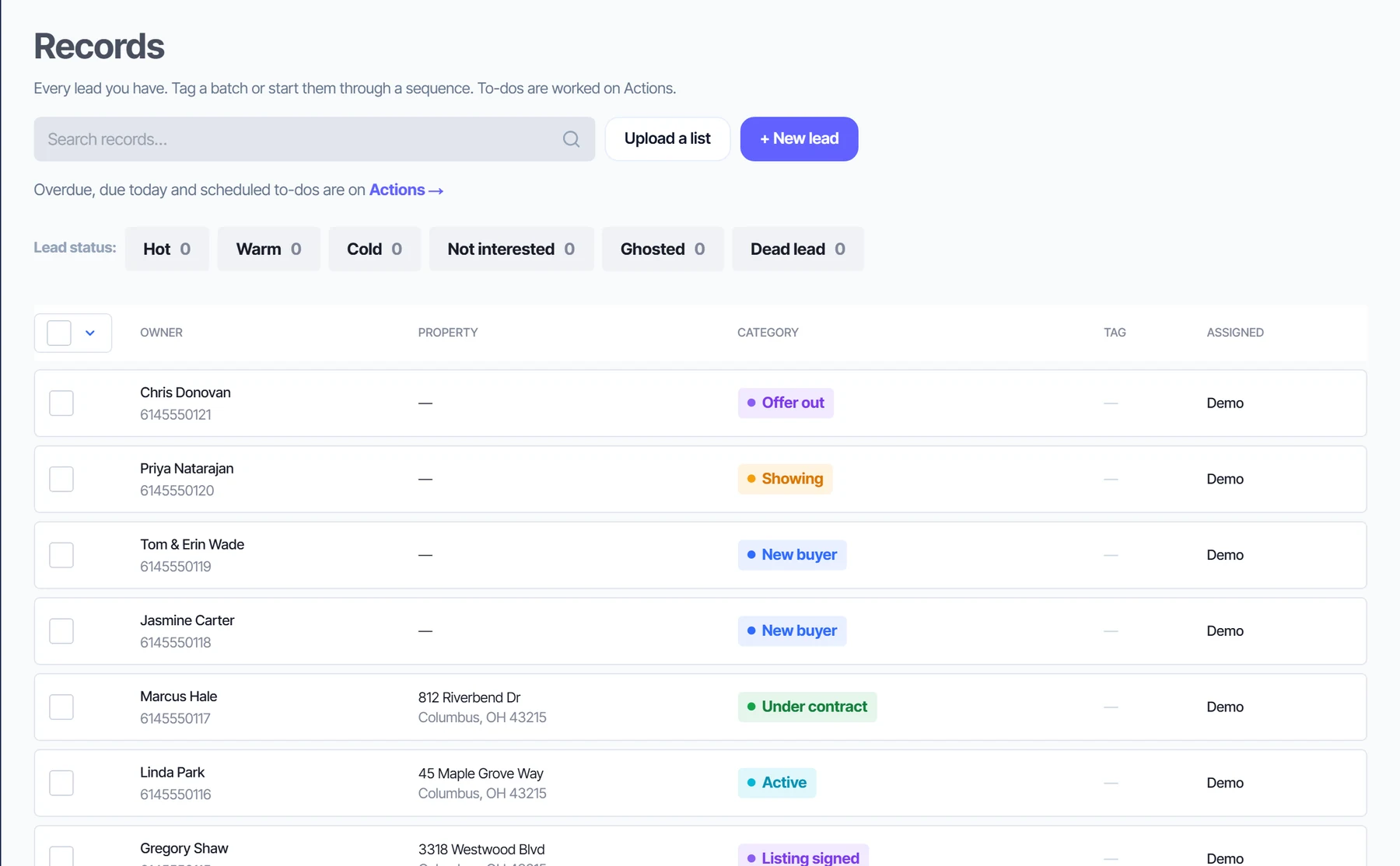
What comes across from your CSV
| In your file | In Deal Sherpa Agent |
|---|---|
| Names | Full name, or first and last name columns |
| Phone numbers | Every phone column is kept (Phone 1, Phone 2 …). Numbers that are not 10 digits are written into a note |
| The first valid email address | |
| Addresses | Property address, city, state and ZIP, and a mailing address |
| Stage or status | Kept as a tag on the contact (for example "Old status: Past Client") and in the import note |
| Tags | Every tag, from one or several columns (comma separated is fine) |
| Notes | Each notes column becomes a note, line breaks kept |
| Next to-do and due date | The to-do keeps its date: overdue stays overdue. A date with no name becomes "Follow up" |
| Assigned to | Kept on the contact |
| Anything else | Saved word for word in an import note on the contact, so nothing is lost |
Export a CSV
Export your contacts as a CSV file from Follow Up Boss. Their help center explains where the export is.
Upload it
In Deal Sherpa Agent, open Upload a list and drop the file in. Each column is matched to a field by its name.
Check and import
Change any column match that is wrong, look at the preview, then import. Re-running the same file skips anyone already imported.
The CRM that follows up for you
Sellers and buyers, each on their own board
Sellers move through New lead, Appointment set, Listing signed, Active, Under contract, Closed. Buyers move through New buyer, Showing, Offer out, Under contract, Closed. Drag a card when a deal moves and the board stays current.
Start free 7-day trial →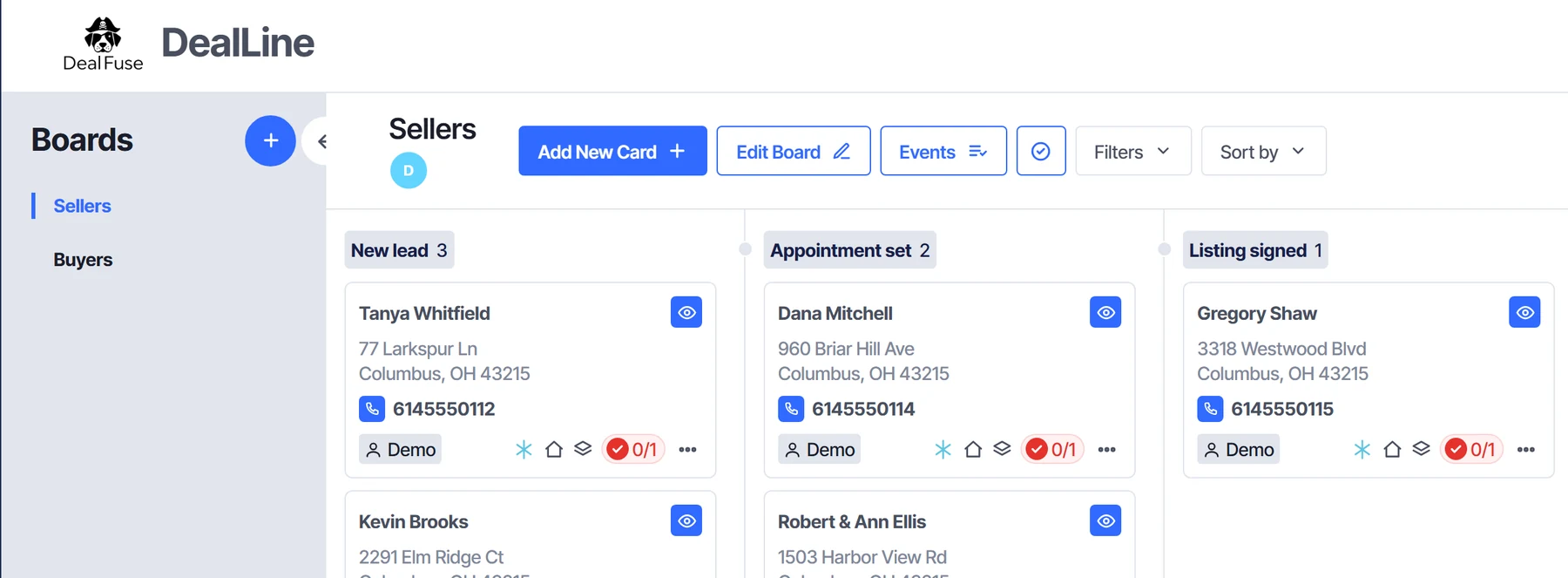
Every follow-up scheduled for you
Move a card and its next to-do is booked. Actions shows what is overdue, due today and scheduled, split into calls, texts and emails, so you know who to reach first.
Start free 7-day trial →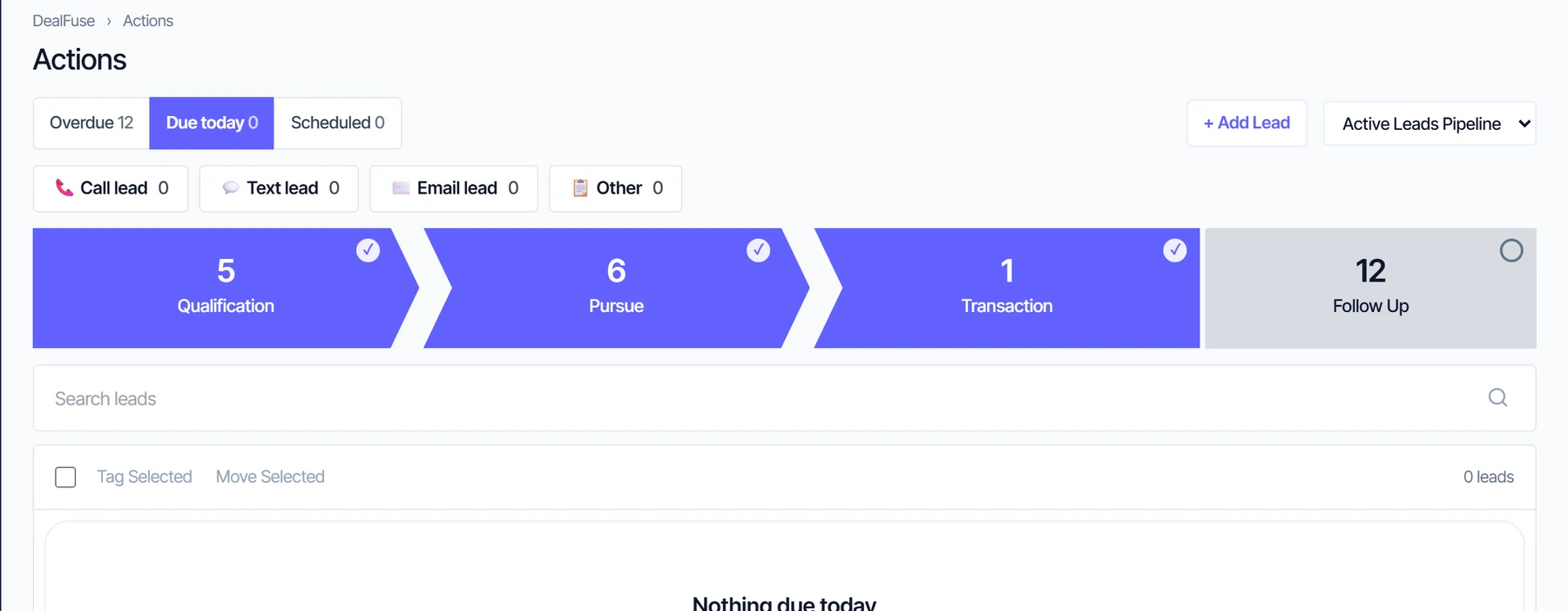
Everything about a client on one page
The stage, the next follow-up, phone numbers, notes and the activity history sit together, so you are never digging for the last conversation.
Start free 7-day trial →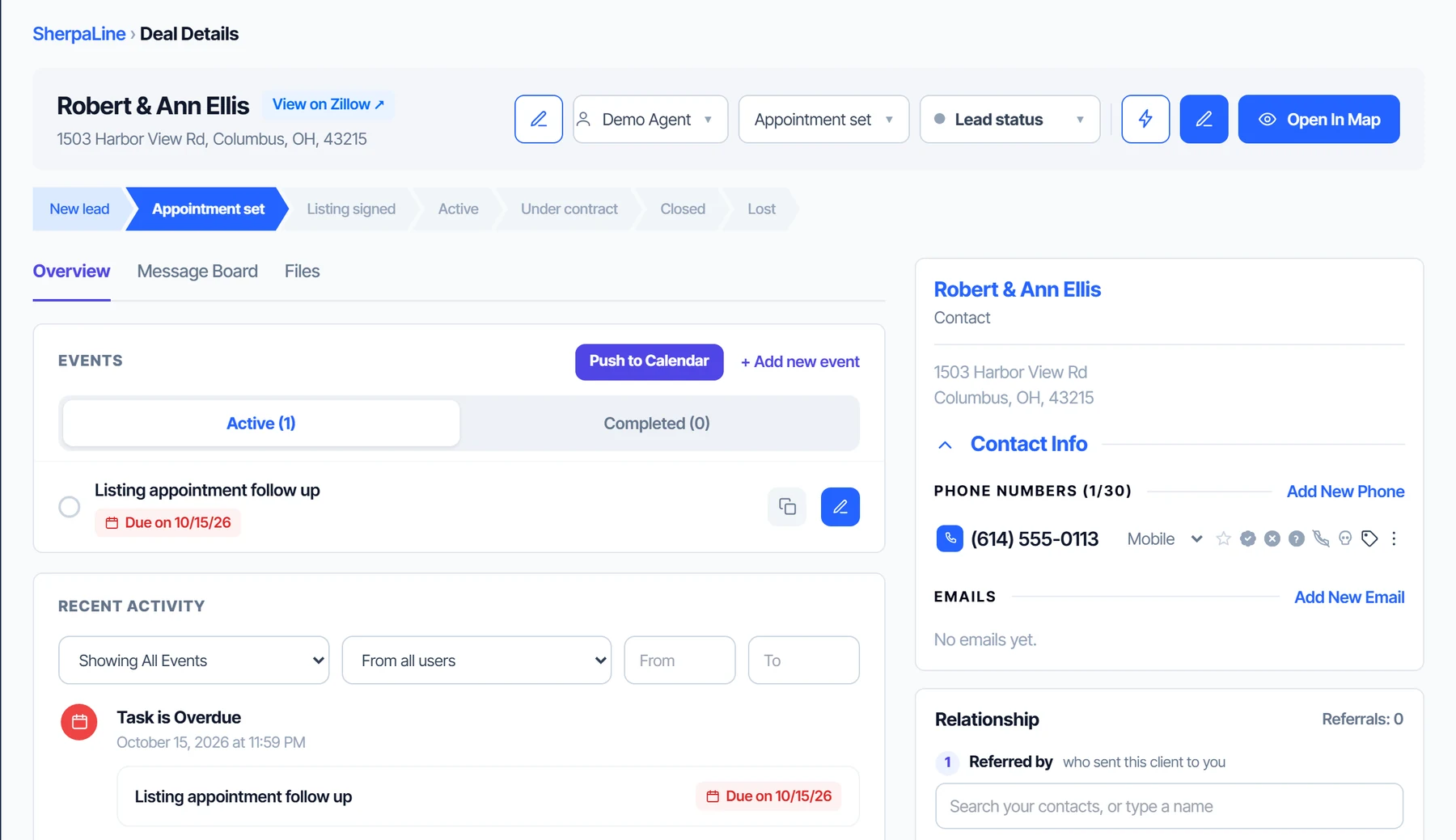
Email drips that run while you work
Starter plans like Speed to Lead, New Buyer and New Seller are ready to edit. Emails go out in your name, and a plan can start on its own when a lead reaches a stage.
Start free 7-day trial →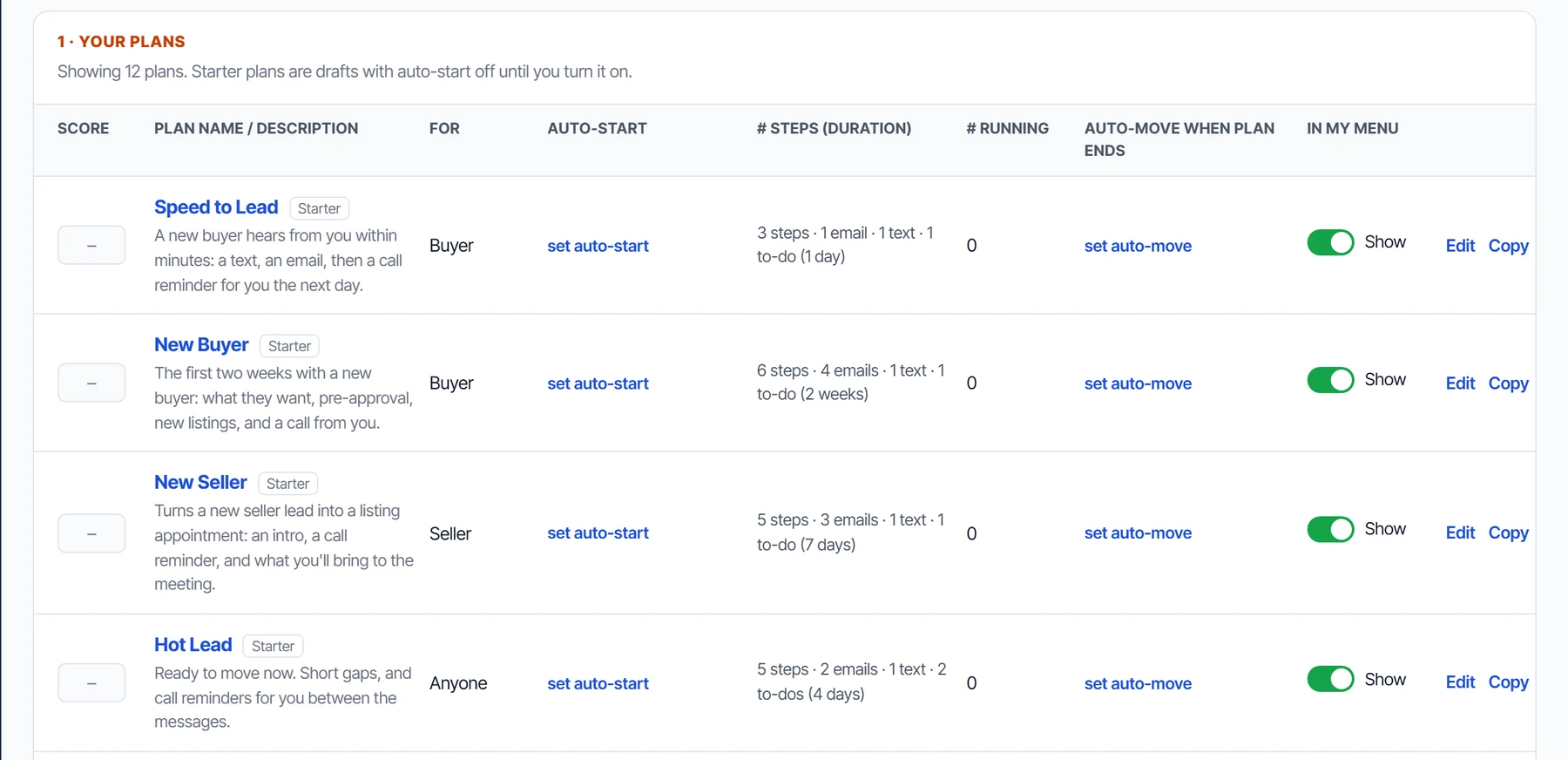
Step 1: export your contacts as a CSV
Export your contacts as a CSV file from Follow Up Boss (see their help center for where the export lives and what it includes). If you end up with an Excel file instead, open it and use Save As, CSV. The importer reads comma, semicolon and tab separated files, up to 20,000 rows per file; split a bigger export into several files.
Step 2: upload the file
Start your trial, then open the Upload a list page and drop the file in (or click to choose it). Nothing is imported yet.
Step 3: check the columns
Every column in your file is matched to a field by its name: First Name, Last Name, Email, Phone, Stage, Tags, Notes, Assigned To and similar names are recognized. You see each column with an example value and the field it goes to, and you can change any of them. A column left on "Keep in import note" is saved word for word in a note on the contact. If your file has a due-date column, make sure it is set as the to-do due date so each to-do keeps its date.
Step 4: look at the preview, then import
Before anything is written, the page shows how many contacts will come across, how many have a phone, and how many to-dos are overdue, due today or later. The first few contacts are shown as they will look. Rows with no name, address or phone are skipped, and a row that repeats one already in the file is skipped too.
No follow-up sequence is started by the import. If you want contacts that had no to-do to get one, tick the box that gives them their stage's usual to-do, starting today. Leave it off to bring them across exactly as they were.
Duplicates and re-runs
Uploading the same file twice does not make copies: anyone already imported is skipped. A contact already in your account with the same street address and ZIP is left as it is. If an import stops part way, run it again and it carries on.
After the import
Every imported contact is tagged Imported, and its old stage is kept as a tag, so you can see where each person stood in your old CRM. Keep your old account until you are happy, and keep a copy of the export.
Follow Up Boss is a trademark of its owner and is not affiliated with DealSherpa.
What Deal Sherpa Agent costs
$49/month or $470/year (save 20%). 7-day free trial, no card required. Details are on the pricing page.
Questions
How do I export contacts from Follow Up Boss?
Export them as a CSV file from Follow Up Boss. Their help center has the current steps.
Will my tags and notes come across?
Yes. Tags from one or several columns are kept, each notes column becomes a note, and your old stage is kept as a tag.
Do to-dos keep their dates?
Yes. A to-do keeps the date it had in your file, so an overdue one stays overdue. A to-do with no date is due today.
What happens to columns that do not match a field?
They are saved word for word in an import note on the contact, so nothing is lost.
What if I upload the same file twice?
Contacts already imported are skipped, so you will not get duplicates.
How many contacts can I import?
Up to 20,000 rows per file. Split a larger export into several files.
Is DealSherpa affiliated with Follow Up Boss?
No. Follow Up Boss is a trademark of its owner and is not affiliated with DealSherpa.
Bring your contacts. Keep your dates.
Import a CSV, then let every stage book its own follow-up. $49/month.
Start free 7-day trial